
Coding Agents for Business Central Developers: A Simple Local Setup
Note: This blog is a personal notebook. I write it to record what I work on, for my own reference, not to publish it on social media or to promote myself. If a post is still useful to you, I am glad, but that is not why it exists.
This post was published on March 29, 2026. Software versions, product features, links, and tool availability may have changed since then. Always check official documentation for the latest information. Some screenshots show small details. Zoom in on the page to see them clearly.
Coding agents such as Claude Code and GitHub Copilot CLI are AI command-line tools. They read, change, and run code from natural-language requests, inside your local AL repository.
Claude Code is Anthropic’s terminal-first coding agent. It reads your codebase, proposes or applies edits, and runs commands with your approval.
GitHub Copilot CLI is GitHub’s terminal-first coding agent. It turns prompts into git operations, shell commands, and code workflows.
Note: GitHub Copilot Agent in VS Code is a different, IDE-first tool.
Where generic AI falls short in AL work
Generic AI chat tools explain well, but they are weak on a live AL repository. A chat tool is a plumber on the phone: you must describe every pipe yourself. A coding agent is the plumber in your house, who looks at the pipes and asks before cutting one.
The real value for AL teams
The main value is less friction in daily work: repository navigation, issue triage, code explanation, and decision support. Junior developers get from question to action faster, and architects can use AI early in design. Automatic code generation comes second.
Architecture
- The AL project stays in the local repository.
- The coding agent runs in the terminal on the developer machine.
- The developer stays the approval boundary.
Usage usually grows in this order:
- Read-only: inspect files, explain the structure, summarize the changes.
- Suggestion-based: propose edits, commands, or troubleshooting steps.
- Approval-based: the developer reviews the proposal before it applies.
- Write-back: local file edits only, and only with permission.
Demo steps
- Install Claude Code and check that
claudestarts. Official docs:irm https://claude.ai/install.ps1 | iex claude --version claude doctor - Install GitHub Copilot CLI and check that
copilotstarts. Official docs:winget install GitHub.Copilot copilot --version -
Open your AL project folder in a terminal and start the agent:
claude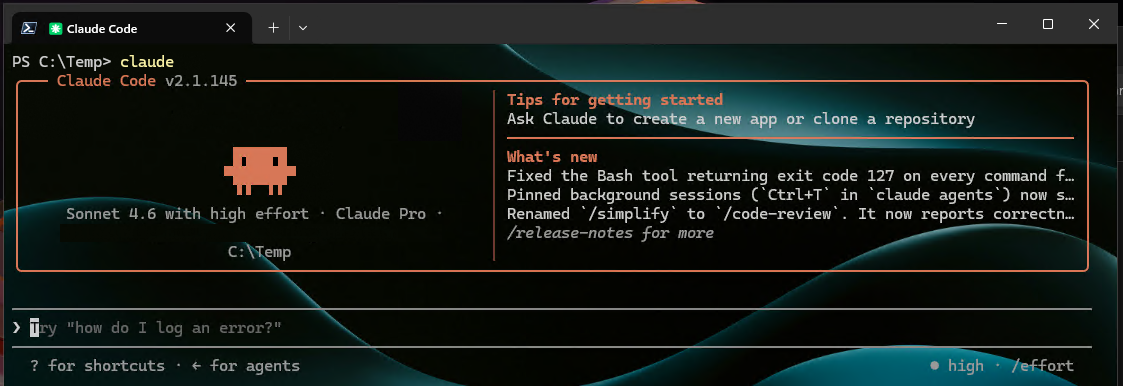
or
copilot --banner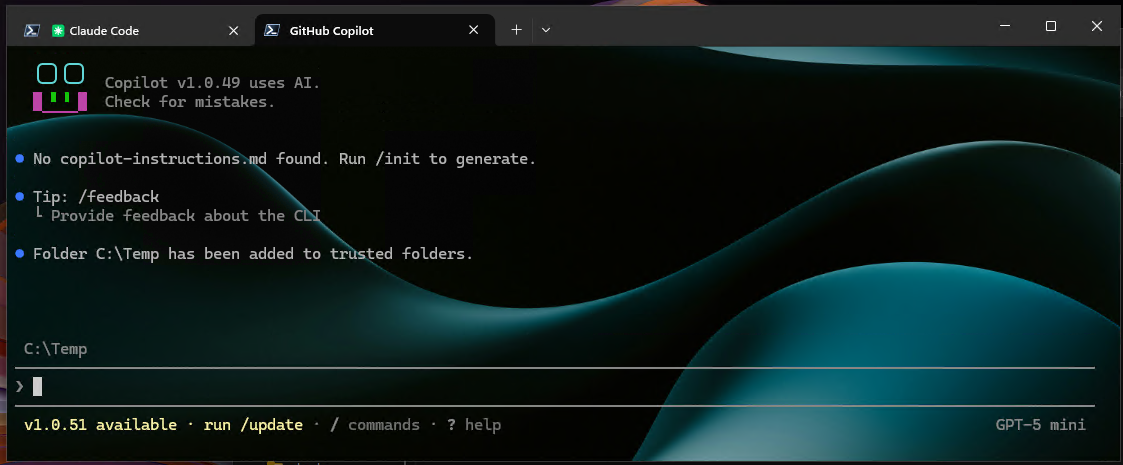
- Start with safe tasks: summarize the repository, find the extension boundaries, or ask for the next safe command.
Scope
One developer, one local machine, one AL repository. No hooks, repository automation, shared team prompts, or Business Central MCP tools.
A junior developer must first learn to open the correct repository, review each suggestion, and keep Git as the source of truth.
Risks and limits
Reading files is not the same as understanding Business Central architecture. The output still depends on the prompt, the repository, and the review discipline. The agent does not solve security, governance, or delivery quality.
Next iteration
Next, connect the agent to Business Central tools through MCP for project-aware context. After that, teams can standardize launch scripts, prompts, instructions, skills, and review rules per repository, and a personal experiment becomes a repeatable practice.
Closing note
A coding agent is most useful close to the real AL project and workflow. Start simple: keep it local, explicit, and easy to control.