
Installing the AL MCP Server for Business Central Coding Agents
Note: This blog is a personal notebook. I write it to record what I work on, for my own reference, not to publish it on social media or to promote myself. If a post is still useful to you, I am glad, but that is not why it exists.
This post was published on April 07, 2026. Software versions, product features, links, and tool availability may have changed since then. Always check official documentation for the latest information. Some screenshots show small details. Zoom in on the page to see them clearly.
A generic agent can read AL files, but it does not understand the project structure, settings, or package references. The AL MCP server gives it AL tools, and the setup stays local.
Where the gap shows up in real AL work
A coding agent without project context does a jigsaw puzzle without the picture on the box. It has every piece, but it cannot see how the pieces fit. The AL MCP server is the picture.
Why the local boundary matters
Junior AL developers get a workflow centered on the Business Central project. Architects get a clean boundary: the MCP server runs outside Business Central, so the runtime and the tenant data model do not change.
Architecture
This is a development tooling pattern, not a product feature: no new tables, pages, extensions, APIs, or codeunits.
- The AL project folder is the working boundary.
- The AL Development Tools package supplies the
alcommand. - The AL MCP server starts from the project folder with
al launchmcpserver .. - Claude Code or GitHub Copilot CLI connects to the local MCP endpoint as a client.
The developer approves each write-back change.
Demo steps
-
Install the AL Development Tools package.
dotnet tool install --global Microsoft.Dynamics.BusinessCentral.Development.Tools --interactive --prerelease -
Verify the installation.
al --help -
Start the MCP server from your AL project folder.
 cd C:\src\YourBcProject
 al launchmcpserver .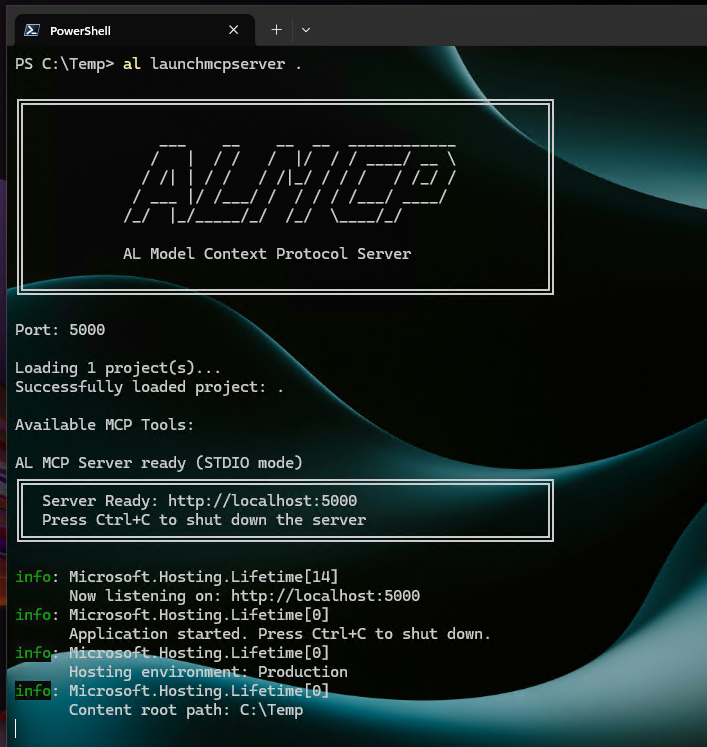
-
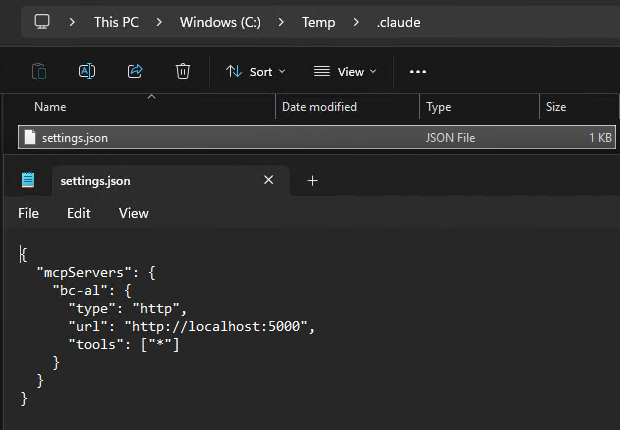
Connect Claude Code to the local HTTP MCP endpoint, one time.
claude mcp add --transport http --scope project bc-al http://localhost:5000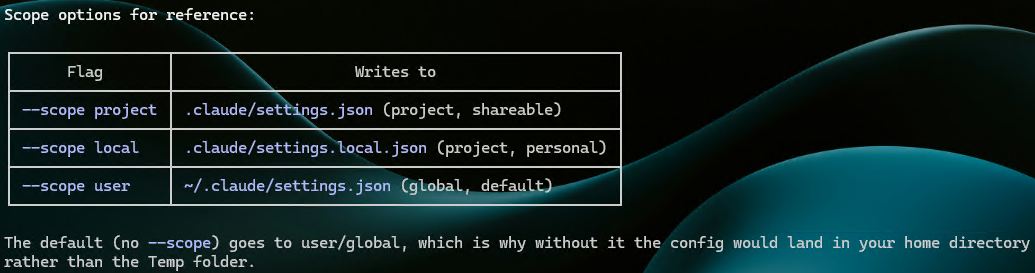
-
Give GitHub Copilot CLI the same endpoint in
.mcp.jsonin your project root:{ "mcpServers": { "bc-al": { "type": "http", "url": "http://localhost:5000", "tools": ["*"] } } }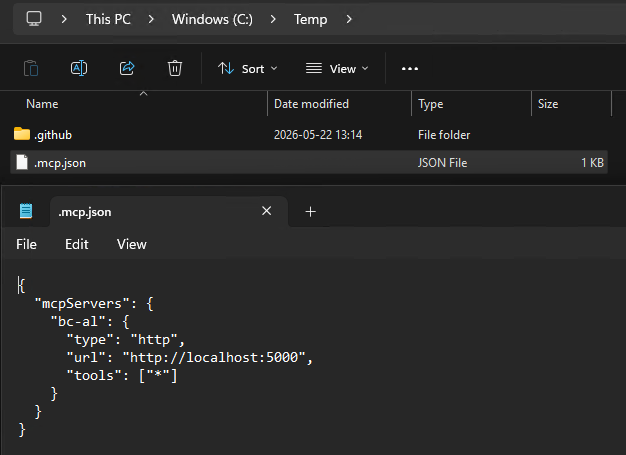
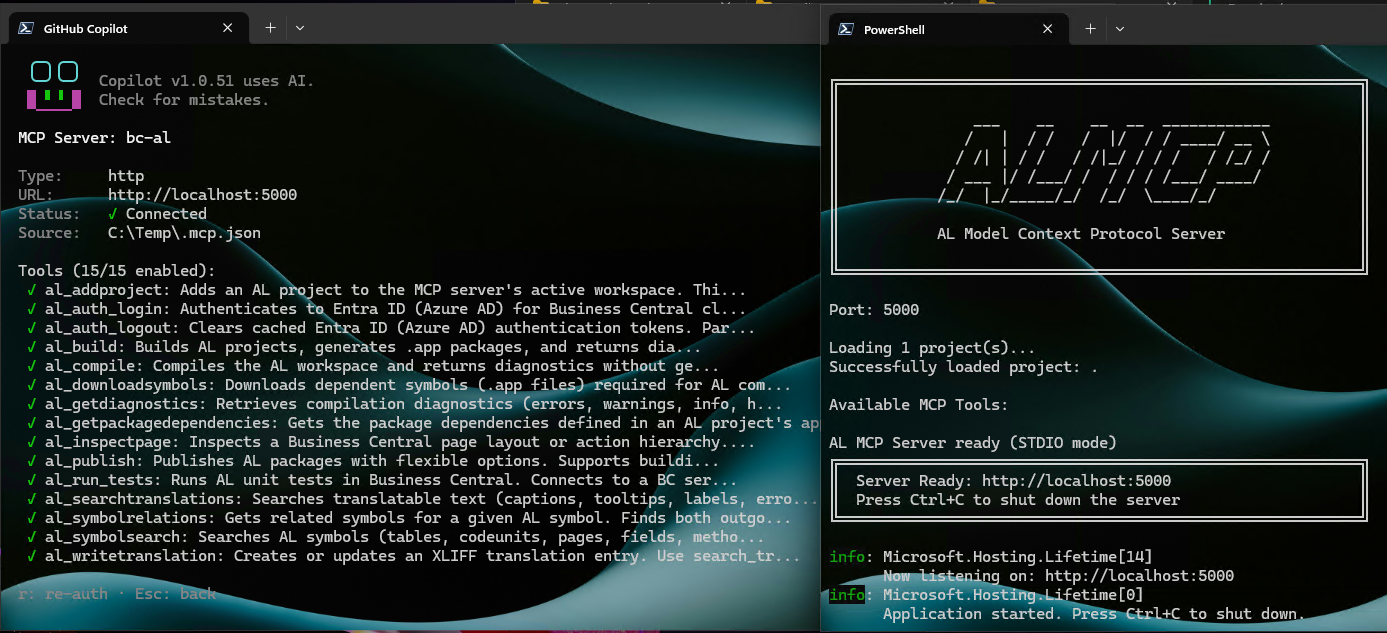
-
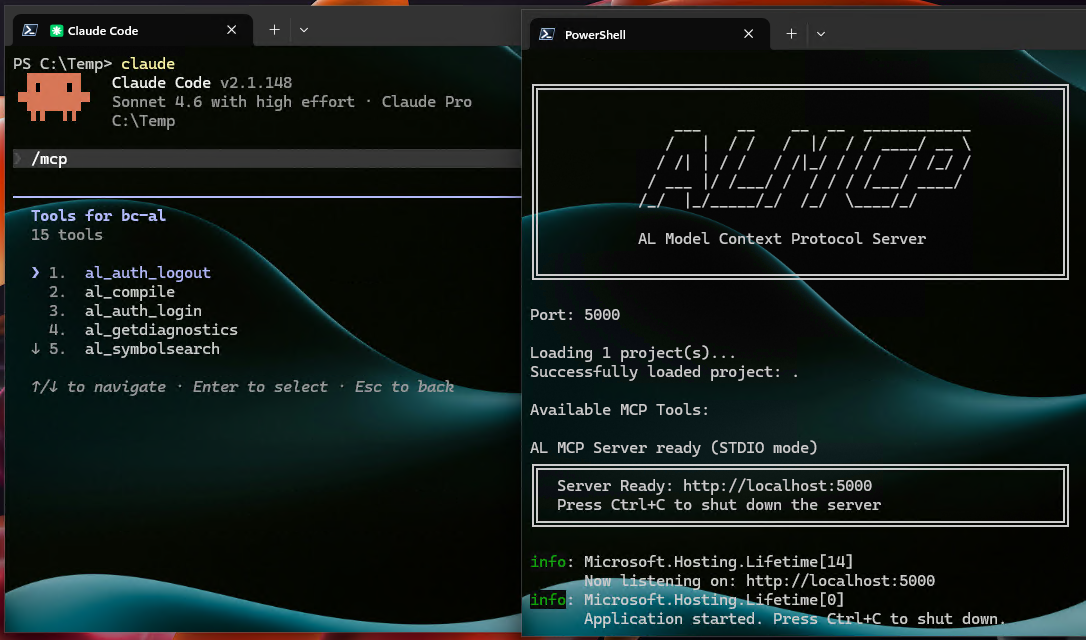
Keep the MCP server running in one terminal. In a second terminal in the same folder, start
claudeorcopilot.
Scope
One Windows machine, one AL repository, one localhost endpoint, and a manual server start. No hooks, background services, or hidden automation.
Risks and limits
This setup does not cover team policy, telemetry, evaluation quality, or an enterprise security review. The path here is MCP, not a direct LSP integration.
Next iteration
Document in each repository how to start and use its MCP server. Then add launch scripts, prompt guidance, and review rules. Automate only after the manual workflow is stable.
Closing note
The AL MCP server gives the agent a project-aware path into AL work. Install it one time, start it manually, and keep the developer in control.